Turn your ICP into researched accounts and ready-to-review drafts
Research target accounts, relevant contacts, and business context before preparing sales outreach with XInfoAI.
Find companies that match your ICP
Describe your target market in plain language using company type, product category, region, size, exclusions, and other criteria that matter. XInfoAI builds a focused account list and explains why each company matches.
Give every target account useful context
Build a working account profile with company context, relevant business roles, current titles, available company signals, and supporting sources. Use the result as a research brief or add selected records to your prospect list.
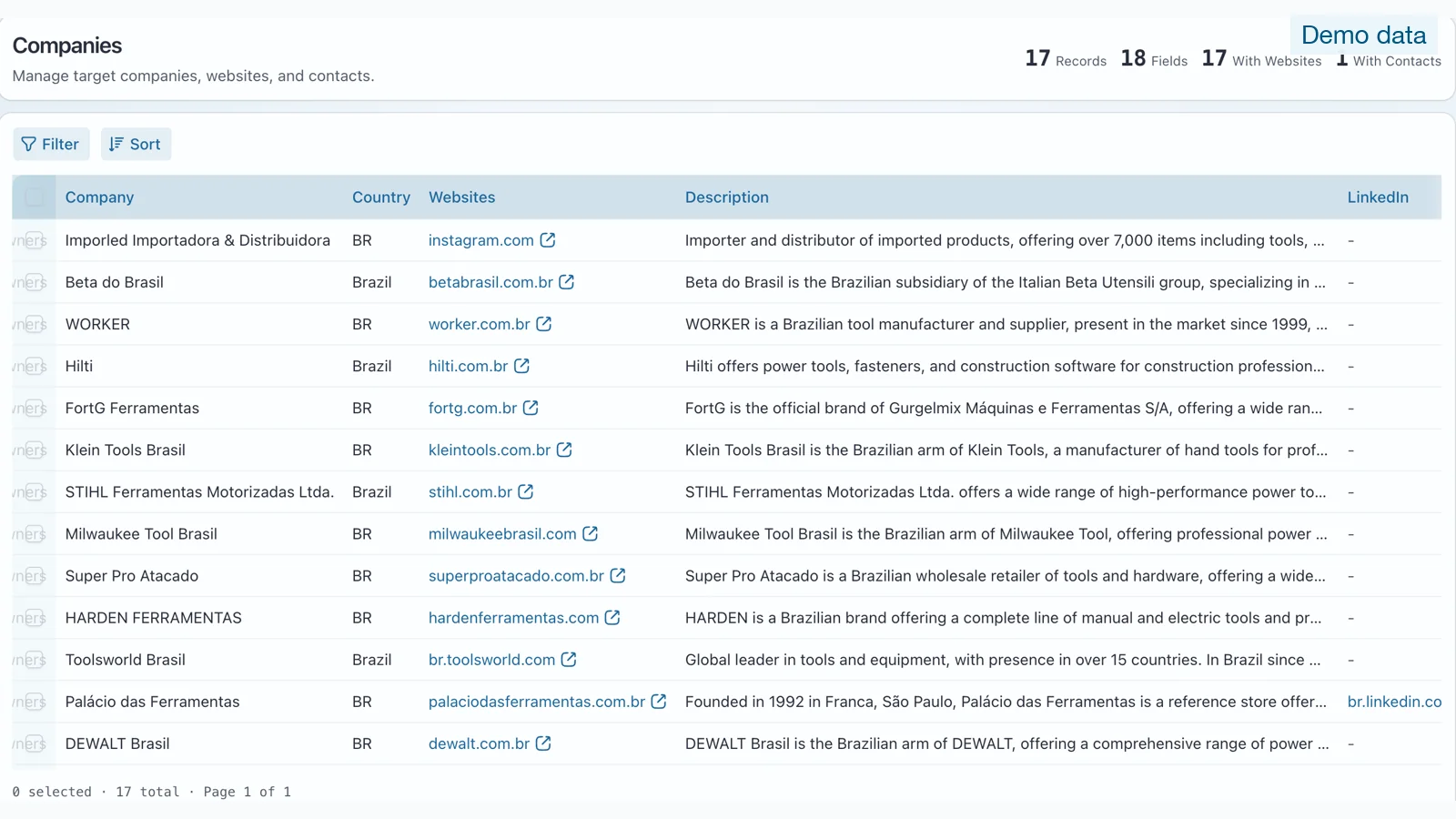
Fill gaps in existing account and contact records
Import target accounts, CRM records, or prospect lists. XInfoAI researches missing company, website, category, region, size, role, and source fields and presents the proposed changes for review.
See which fields were added or changed before using the enriched record in your sales workflow.
Turn research into personalized drafts and clear next steps
Use product knowledge, the recipient’s business role, and relevant account context to prepare a tailored email draft for each selected record. Keep available company updates, draft status, delivery events, replies, and follow-up tasks together.
Every draft remains editable, and your team decides when to continue, pause, or take over.
Sales workflow
Put your research workflow to work
Start with registration credits. Review every result and approve communication actions from your workspace.